Design Professional Ebooks & Workbooks Instantly in Canva
Creating a high-quality digital product shouldn't require a design degree or weeks of frustration. If you've ever stared at a blank canvas, unsure how to structure your course materials or lead magnets, the ECourse Workbook & Ebook Canva template solves that problem immediately. This isn't just a collection of pretty pages—it's a complete publishing system built inside Canva, designed for entrepreneurs, coaches, educators, and creators who need polished materials without the learning curve.
What Makes This Canva Template Different
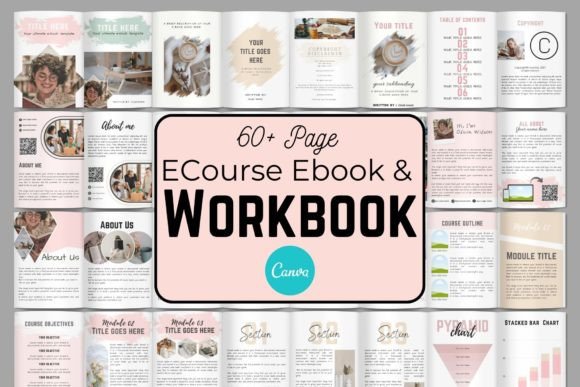
The ECourse Workbook & Ebook Canva template stands out because it's structured around actual content needs, not just aesthetic variety. You get cover variations that let you test different visual approaches for your brand. About pages establish your authority. A proper copyright page protects your intellectual property. The table of contents and intros guide readers through your material logically, while module, section, and lesson intros break complex courses into digestible segments.
What really matters is the range of text layouts and quote layouts included. These aren't decorative afterthoughts—they're designed to maintain visual rhythm across long documents. When your readers flip through 40 pages of workbook content, varied typography keeps them engaged. The content and chart pages handle data visualization without requiring separate tools, and the worksheets give your audience actionable space to apply what they're learning.
Real Applications for Real Businesses
Think about where this template actually fits into your workflow. A fitness coach launching a 6-week nutrition program needs structured modules, progress trackers, and recipe layouts. A marketing consultant creating a brand strategy workbook needs space for audience analysis, competitive research, and action planning. A blogger turning their expertise into a paid ebook needs chapter layouts, pull quotes, and resource pages that look professional enough to justify a price tag.
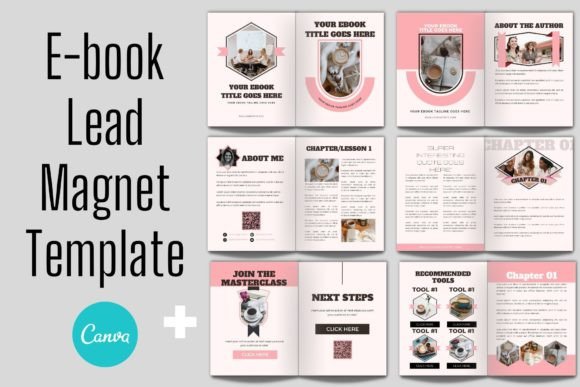
The resource pages and upsell/CTA/thank you pages close the loop. Your ebook isn't just content—it's a business asset. The template includes strategic placement for calls-to-action, whether you're promoting a coaching program, a course, or your next product launch. This is where design meets conversion strategy, and having it built into your template saves hours of guesswork.
Editing Without Boundaries
Here's where the Canva advantage really shows. Every element in the ECourse Workbook & Ebook Canva template is fully editable. Change fonts, adjust colors, upload your own photography, swap logos, resize elements, and rearrange layouts entirely. The template respects your brand identity rather than forcing you into someone else's visual system.
You can work from any computer with a browser. No software downloads. No file compatibility issues. Share your workbook directly with collaborators or clients through Canva's sharing features. The template saves in your Canva account permanently, so you can duplicate it for different products, update it seasonally, or adapt it as your brand evolves.
Who Benefits Most from This Approach
Small business owners building their first digital product get professional results without hiring a designer. Content creators scaling their offerings can maintain visual consistency across multiple workbooks and ebooks. Marketers creating lead magnets produce materials that actually reflect the quality of their services. Bloggers and publishers monetizing their expertise finally have a production method that doesn't eat into their creative time.
The basic Canva knowledge requirement is genuine—if you can drag, drop, move elements, and resize images, you can customize this template completely. That accessibility matters because it removes the technical barrier between your expertise and your audience.
Building Brand Consistency Across Digital Products
One workbook rarely exists in isolation. As your business grows, you'll create multiple resources, courses, and lead magnets. Starting with a structured template like this one establishes visual patterns your audience learns to recognize. Consistent layout structures, recurring design elements, and cohesive typography choices across your digital products build the kind of brand recognition that typically requires a professional design team.
The ECourse Workbook & Ebook Canva template gives you that foundation. It handles the structural thinking so you can focus on what actually matters—delivering valuable content that serves your audience and grows your business.