Master Your YouTube Thumbnail: A Designer's Guide to Stunning Channel Art
In the crowded space of online video, your content has a fraction of a second to make an impression. That impression is almost always visual, and for YouTube creators, it starts with the YouTube Thumbnail. Think of it as the cover of your video's story. A generic or poorly designed thumbnail can cause viewers to scroll right past, no matter how valuable your content is. Conversely, a professional, eye-catching thumbnail acts as a powerful magnet, inviting clicks and setting the tone for what’s inside. It’s not just a pretty picture; it’s a critical piece of your channel's brand identity and a direct driver of growth.
What Makes an Elegant YouTube Thumbnail Template?
An elegant YouTube thumbnail isn't about complexity; it's about clarity and purpose. The visual characteristics are defined by clean lines, balanced compositions, and a strategic use of negative space. The personality is confident and approachable—never cluttered or chaotic. Its style often blends modern typography with high-contrast imagery, creating a look that is both professional and highly clickable. The overall appeal lies in its ability to communicate a video's core message at a glance, using visual hierarchy to guide the viewer's eye from the main image to the supporting text.
This is where a well-crafted template becomes invaluable. A premium YouTube Thumbnail template, like the one described here, is built on a foundation of design principles. The specified size of 1280 x 720px is the standard, ensuring your image displays crisply across all devices. But the real value is in the structure: a Layered PSD File with Smart Objects. This means every element—text, images, shapes, and effects—is on its own layer, making it Fully Editable. You can swap out a photo, change the headline, and adjust colors in minutes, not hours, without breaking the design's integrity.
Strategic Applications for Your Channel and Brand
The utility of a great thumbnail template extends far beyond a single video. For the content creator or blogger, it establishes a consistent visual language. When a viewer sees your video in their recommendations, they should recognize your style instantly. This consistency builds recognition and trust, which are cornerstones of audience loyalty. Use the template to create a series look for tutorials, vlogs, or product reviews, subtly adjusting elements for each video while maintaining a cohesive channel aesthetic.
For entrepreneurs, marketers, and small business owners, the thumbnail is a direct extension of your brand identity. It’s a piece of digital design that sits at the intersection of your website, social media, and video content. A clean, professional thumbnail elevates your perceived expertise. Imagine using a consistent style for all your webinar promos, client testimonials, or product demonstrations. It reinforces your brand's professionalism and makes your content library look organized and authoritative. The RGB Color mode ensures it looks vibrant on screens, perfect for social media graphics and your YouTube channel page.
Practical Customization: Making It Your Own
The true power of this asset is its Easy Customization. The Smart Objects are the key. Double-click the smart layer in Photoshop, place your own image, save, and watch it update seamlessly within the thumbnail frame. This non-destructive workflow is a lifesaver. All Free Fonts are included, so you won't face licensing hurdles. While the template uses specific fonts, you can easily apply the principles of font pairing—combining a bold display font for the headline with a clean sans serif font for supporting text—to match your existing brand fonts.
Here’s how to approach customization effectively:
- Start with a Strong Image: Choose a high-resolution, emotionally engaging photo or graphic that represents your video's topic. The template's layout will frame it perfectly.
- Limit Your Text: Use a concise, benefit-driven headline. Your thumbnail is a billboard, not a blog post. Three to six words is often ideal.
- Embrace Contrast: Ensure your text stands out from the background. Use the template's layered structure to add a subtle shape or shadow behind text if needed.
- Test for Readability: Zoom out or view the thumbnail at a small size. Can you still read the text? If not, increase the font size or weight. This is crucial for mobile viewers.
- Maintain Brand Elements: Consider adding a small, consistent logo or color accent in a corner to reinforce your brand across all videos.
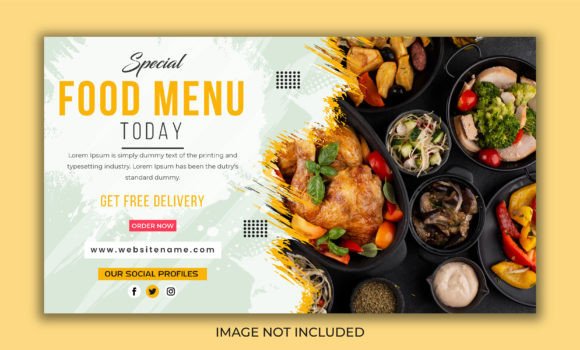
Remember, the images in the preview are for demonstration only and are not included. This encourages you to use your own authentic visuals, which is far more effective for building a genuine connection with your audience. By treating this template as a flexible starting point rather than a rigid final product, you create a system for producing beautiful, on-brand YouTube Thumbnail designs that help your channel stand out and grow. It’s a practical design asset that saves time while elevating your creative output, letting you focus on what you do best: creating great content.